1. Core Functionality
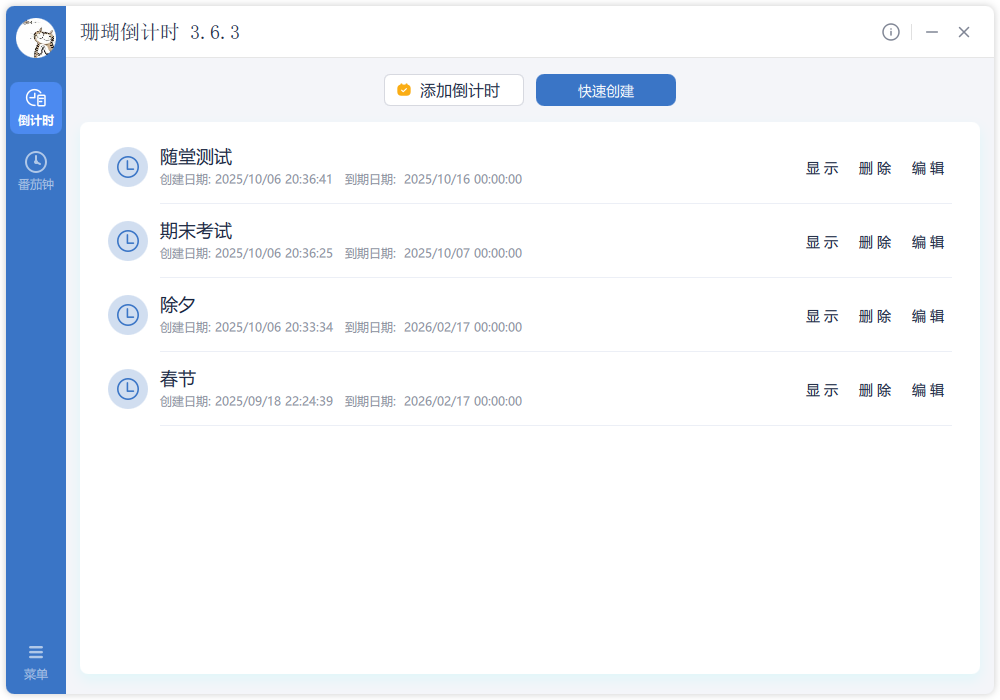
TickPace is a full-featured desktop app that keeps every milestone on track. Exams, holidays, launches, or personal goals—manage them all with a single, organized timeline.
2. Key Highlights
- Track unlimited countdowns side by side
- Support for second-level precision
- Early reminders for critical checkpoints
- Show or hide desktop widgets any time
- Popup and audio alerts keep you informed
- Clean UI with simple, guided actions
- Quick templates for common countdowns
- Custom fonts, colors, and sizes
3. Getting Started
3.1 Create a Countdown
-
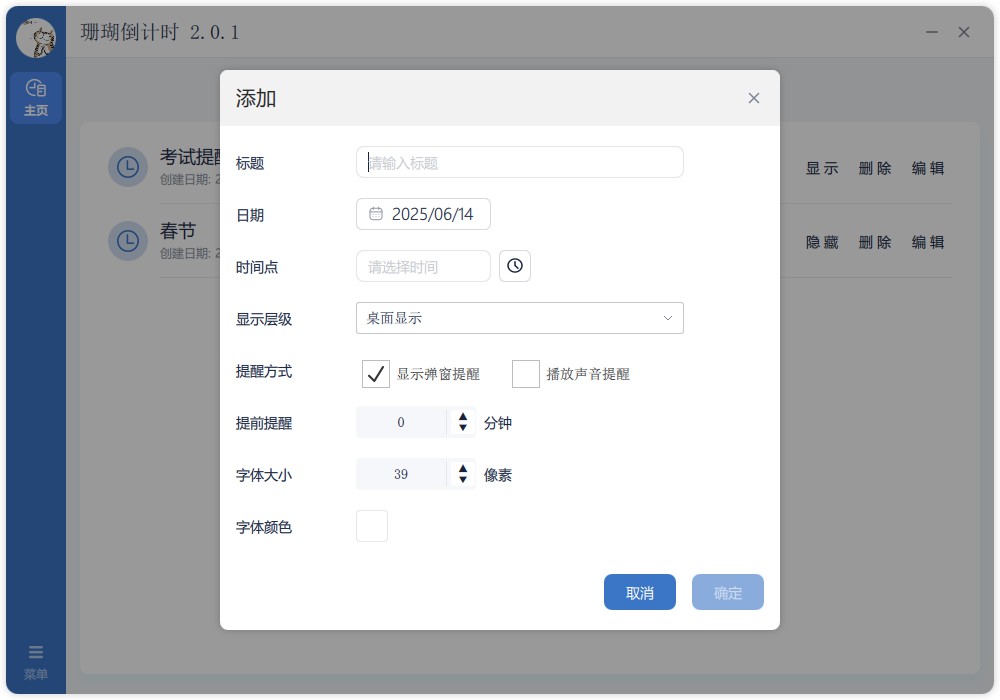
Select “Add Countdown” or “Quick Create”
Both buttons live at the top of the main window:
- Add Countdown: configure every detail manually.
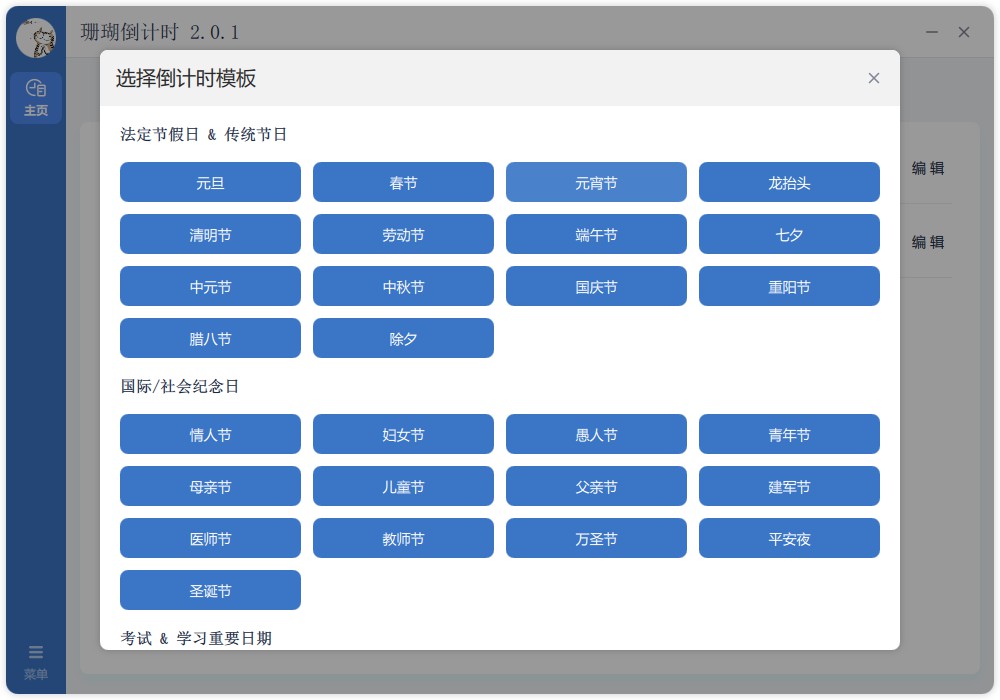
- Quick Create: pick a ready-made template to save time.
-
Fill in the countdown details
The dialog lets you define:
- Title: the name shown on the widget.
- Date: pick the target day.
- Time (optional): specify exact hours and seconds.
- Early reminder (optional): choose how many minutes in advance.
- Alert style: enable popups and/or sound.
- Display layer: keep the widget on desktop, on top, or standard.
- Typography: customize color and size for the timer text.
-
Use Quick Create templates
Pick a preset and customize later if needed:
- Exam countdowns: focus on test days.
- Holiday countdowns: common public holidays.
- Birthday reminders: never miss key dates.
- Project deadlines: stay aligned with delivery.
3.2 Manage Timers
Each countdown card offers simple controls:
- Show / Hide: toggle the desktop widget visibility.
- Edit: reopen the settings dialog for changes.
- Delete: remove the countdown permanently.
3.3 Display Modes
The live widget highlights:
- Countdown title.
- Days elapsed since the start.
- Time remaining until the target date.
- Second-level countdown when a specific time is set.
- Custom colors and sizes you configured.

3.4 Reminder Center
When the early reminder time arrives, TickPace can:
- Show a popup near the system tray.
- Play a notification sound.
- Automatically hide finished timers on the next launch.

4. Tips & Notes
- After the trial, SVIP is required to unveil remaining days.
- Drag countdown windows anywhere on screen.
- Every change auto-saves in the background.
- Run as many countdowns as you need simultaneously.